'%3e%3cg%20transform='matrix(1,0,0,1,-0.00297921,6.81241)'%3e%3cpath%20d='M275.003,369.167C275.003,369.167%20325.411,343.875%20346.793,321.307C362.815,304.395%20368.064,277.169%20368.064,277.169L368.064,175.068C368.064,175.068%20276.051,127.208%20275.003,127.208L181.942,175.068L181.942,277.169C181.942,277.169%20187.19,304.395%20203.213,321.307C224.595,343.875%20275.003,369.167%20275.003,369.167ZM213.534,251.478L259.597,296.851L342.441,212.173L324.35,194.409L258.643,261.062L230.301,234.515L213.534,251.478Z'%20style='fill:white;'/%3e%3c/g%3e%3cpath%20d='M368.061,181.881L428.9,156.668L275,77.5L121.1,156.706L181.9,181.898L368.061,181.881'%20style='fill:white;fill-opacity:0.7;'/%3e%3cpath%20d='M181.939,181.881L121.104,156.7L114.183,153.929L114.183,334.019L275,446.5L275,348.431L197.844,271.793L197.844,190.389L181.939,181.881Z'%20style='fill:white;fill-opacity:0.3;'/%3e%3cg%20transform='matrix(-1,0,0,1,549.73,0)'%3e%3cpath%20d='M181.63,181.881L120.83,156.726L114.183,153.959L114.183,334.019L274.73,446.5L274.73,348.431L197.844,271.793L197.844,190.389L181.63,181.881Z'%20style='fill:white;fill-opacity:0.5;'/%3e%3c/g%3e%3cg%20transform='matrix(1,0,0,1.00049,0,-0.0243078)'%3e%3cpath%20d='M275,459.801L450.006,342.015L450.006,140L275.006,50L275,50L100,140L100,342.015L275,459.801ZM275,432.301L428.858,325.415L428.858,156.614L275.003,77.488L121.148,156.614L121.148,325.415L275,432.301Z'%20style='fill:white;'/%3e%3c/g%3e%3c/g%3e%3c/svg%3e)
What a Playground: Building a Blockchain Sandbox with Yano and Yaci Store
How the UVerify sandbox spins up a full local Cardano environment from a pre-built snapshot with smart contracts already deployed, no private keys required, and wall time always current.
- blockchain
- cardano
- devtools
- sandbox
- yaci
- yano
The Problem with Local Blockchain Development
Developing against a live blockchain network is slow by default. Transactions confirm in seconds at best. Reproducing a precise on-chain state for testing requires replaying a sequence of transactions in the right order, signed by the right keys.
The alternatives are mocking the chain or stubbing the indexer. Both trade one problem for another. You end up testing against a model of the blockchain rather than the blockchain itself. That gap has a way of hiding bugs until the worst possible moment.
For UVerify, we needed something better. The UVerify sandbox built with Yano and Yaci Store is the result.
The Stack
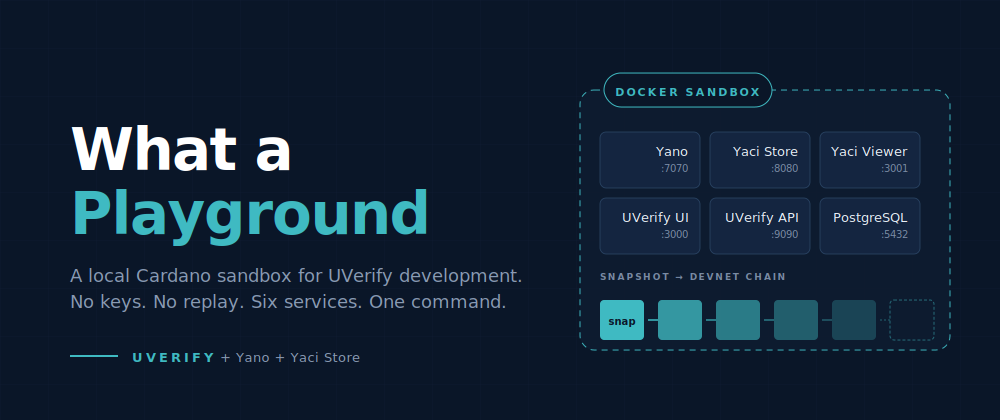
The UVerify sandbox runs six Docker services. Three of them are the interesting ones.
Yano is a local running Java Cardano node. It produces blocks, exposes a Cardano node-to-node (N2N) port for downstream indexers, and provides a Blockfrost-compatible REST API. It also ships with a snapshot API that lets you take a named checkpoint of the full RocksDB chain state and restore it later. That snapshot mechanism is the foundation everything else is built on.
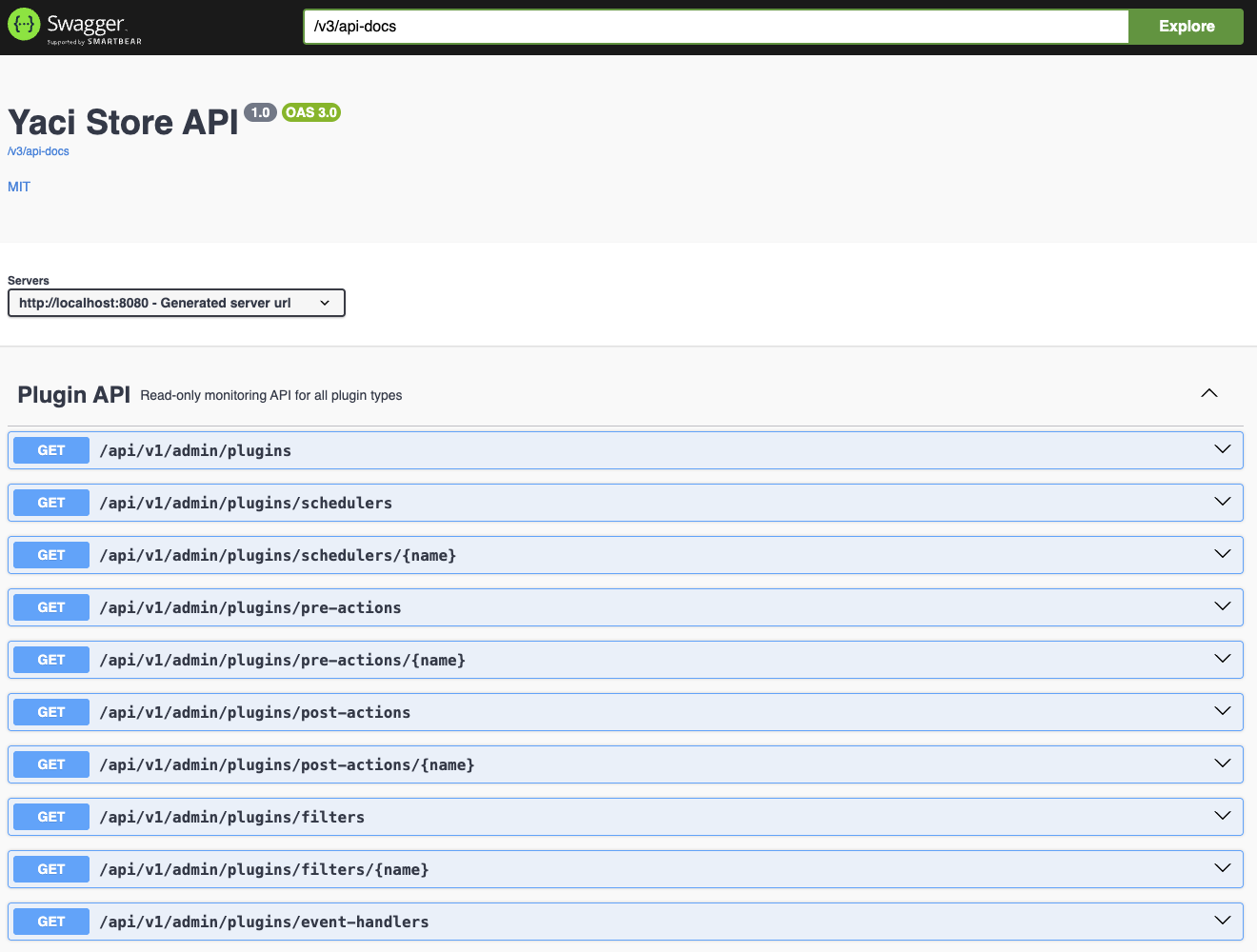
Yaci Store is a full Cardano chain indexer, also from bloxbean. It connects to Yano's N2N port, syncs the chain from genesis, and exposes a rich REST API covering UTxOs, transactions, assets, epochs, staking pools, and governance data. The sandbox runs Yaci Store as a standalone Docker container on port 8080 with its own PostgreSQL schema.
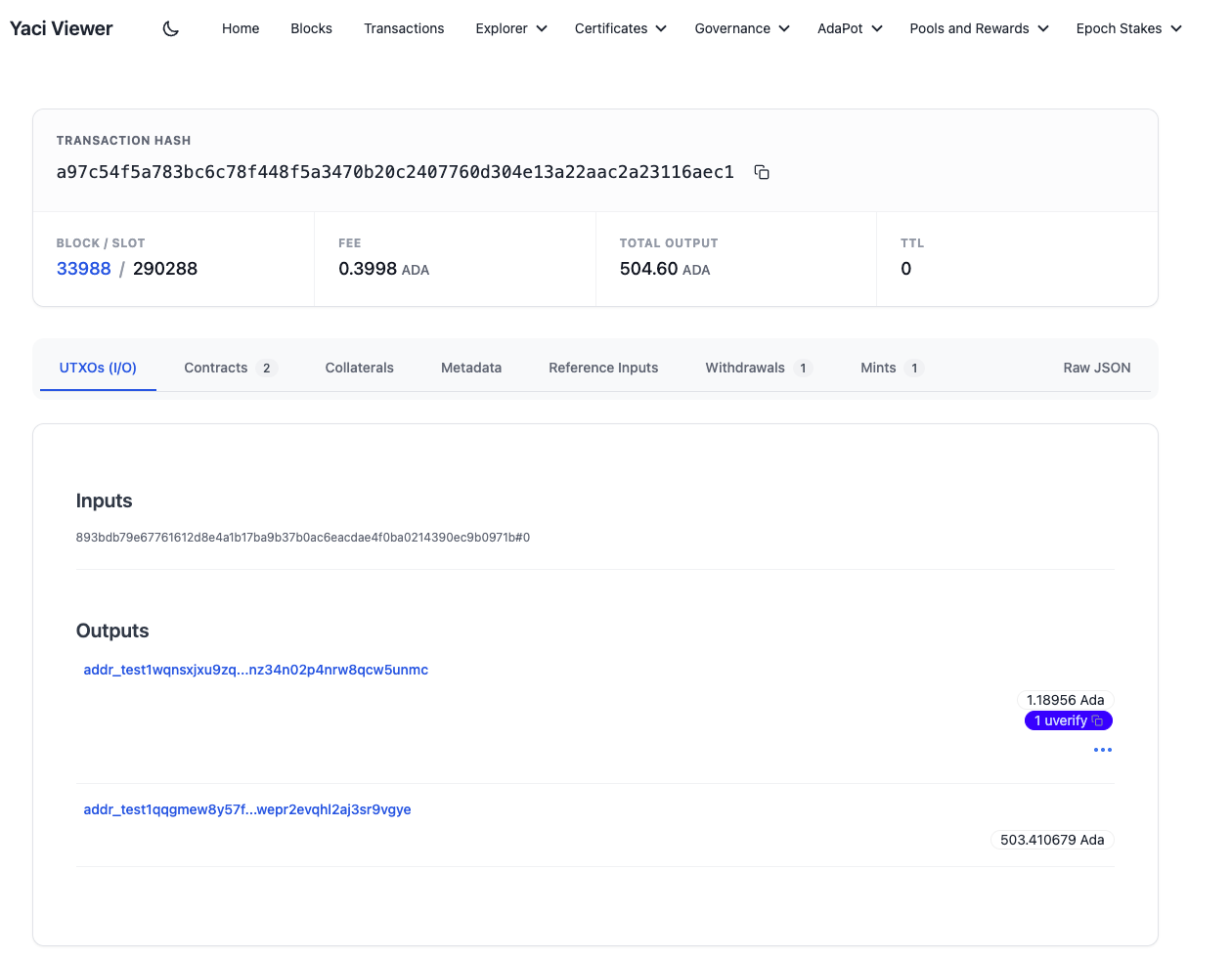
Yaci Viewer is a block explorer built on top of Yaci Store. It runs at port 3001 and gives you a visual browser for every block, transaction, and UTxO the local devnet has produced. When you submit a test transaction and want to inspect its inputs and outputs, Yaci Viewer is where you look.
Yaci Store exposes a rich REST API documented via Swagger UI at http://localhost:8080/swagger-ui/index.html. The API surface covers UTxOs, transactions, assets, epochs, staking pools, governance, and more.
UVerify UI             http://localhost:3000
UVerify Backend        http://localhost:9090
UVerify API (Swagger)  http://localhost:9090/swagger-ui/index.html
Yaci Viewer            http://localhost:3001
Yaci Store API         http://localhost:8080
Yaci Store (Swagger)   http://localhost:8080/swagger-ui/index.html
Yano devnet API        http://localhost:7070/q/swagger-ui
The Snapshot: No Private Keys, No Transaction Replay
The most important property of the sandbox is what you do not have to do when you start it.
You do not need the private keys that were used to deploy the smart contracts. You do not need to replay the bootstrap sequence that funded the service wallet, initialized the proxy contract, or registered the bootstrap datum on-chain. All of that state is already present in the snapshot. Starting the sandbox restores it instantly.
The snapshot is a RocksDB checkpoint taken with Yano's snapshot API after a bootstrap.sh script ran through the full initialization sequence on a fresh chain. The resulting directory is bundled into the Yano Docker image:
docker cp "bloxbean-yano:/app/snapshots/uverify-base-state" ./yano/snapshots/
docker build -t uverify/sandbox-node:latest ./yano/
When sandbox.py start runs and finds no existing chainstate volume, it seeds the Docker volume from that bundled snapshot before starting any services:
docker run --rm \
  -v "${CHAINSTATE_VOLUME}:/chainstate" \
  uverify/sandbox-node:latest \
  sh -c "cp -a /app/snapshots/uverify-base-state/checkpoint/. /chainstate/"
From that point forward, Yano starts from a chain that already has every contract deployed and every funding transaction confirmed. The UVerify backend connects, Yaci Store syncs from slot 0, and the whole environment is ready without you having to own, manage, or even know about the service wallet mnemonic.
Wall-Clock Catch-Up
There is one subtlety with restoring a snapshot: the chain stopped at a specific slot in the past. Cardano's KES (Key Evolving Signature) protocol has time-based validity windows. If the devnet node tries to produce blocks as if no time had passed, it will eventually fail key evolution checks.
Yano solves this with a single API call:
curl -X POST http://localhost:7070/api/v1/devnet/epochs/catch-upThis advances the local chain forward through all the intermediate epochs to reach the current wall-clock time. It runs in seconds regardless of how long ago the snapshot was taken. The sandbox.py script calls it automatically after the node comes up, so by the time the rest of the services are healthy, the devnet is producing blocks at the correct epoch and slot.
This is the piece that makes the sandbox work correctly whether you started it an hour after the last snapshot was built or six months later.
Yaci Store as an Embedded Library
The standalone Yaci Store container handles the block explorer use case. But the UVerify backend has a different requirement: it needs to react to specific UTxOs arriving on-chain in real time, not poll a REST API.
The bloxbean ecosystem provides a yaci-store-spring-boot-starter library that embeds the Yaci Store indexing pipeline directly into a Spring Boot application. The UVerify backend uses this to run its own internal indexer alongside the application code.
The backend pulls in four Yaci Store starters:
<artifactId>yaci-store-spring-boot-starter</artifactId>
<artifactId>yaci-store-utxo-spring-boot-starter</artifactId>
<artifactId>yaci-store-transaction-spring-boot-starter</artifactId>
<artifactId>yaci-store-script-spring-boot-starter</artifactId>
To hook into the indexing pipeline, the backend provides a custom UVerifyStorage that extends UtxoStorageImpl:
@Component
@Profile("!disable-indexer")
public class UVerifyStorage extends UtxoStorageImpl {

    @Override
    public void saveUnspent(List<AddressUtxo> addressUtxoList) {
        List<AddressUtxo> processedByUVerifyCore =
            cardanoBlockchainService.processAddressUtxos(addressUtxoList);
        List<AddressUtxo> processedByExtensions =
            extensionManager.processAddressUtxos(addressUtxoList);
        List<AddressUtxo> processedByUVerifyProxy =
            hasBeenProcessedByUVerifyProxy(addressUtxoList);

        Set<AddressUtxo> allProcessed = new HashSet<>();
        allProcessed.addAll(processedByUVerifyCore);
        allProcessed.addAll(processedByExtensions);
        allProcessed.addAll(processedByUVerifyProxy);

        if (!allProcessed.isEmpty()) {
            super.saveUnspent(new ArrayList<>(allProcessed));
        }
    }

    @Override
    public int deleteUnspentBySlotGreaterThan(Long slot) {
        cardanoBlockchainService.handleRollbackToSlot(slot);
        extensionManager.handleRollbackToSlot(slot);
        return 0;
    }
}
Every time a new block arrives, Yaci Store calls saveUnspent with the list of new UTxOs. UVerifyStorage routes each UTxO through the core processing pipeline, the extension manager, and the proxy contract filter. Only UTxOs relevant to UVerify contracts are persisted. Rollbacks are handled the same way.
In the sandbox, the backend is pointed at Yano's N2N port via application-devnet.yml. The same code runs unchanged against preprod and mainnet by simply changing the target node host, port, and protocol magic. No conditional logic, no environment-specific branches.
Building and Destroying
Starting the sandbox is a single command:
uv run sandbox.py startIf the chainstate volume already exists from a previous run, it resumes from where it left off. If you want to wipe everything and start from a clean snapshot:
uv run sandbox.py start --cleanThis stops all services, deletes the chainstate volume and the PostgreSQL data, and re-seeds from the bundled snapshot. The whole reset takes about a minute. When it finishes, every service is running and all URLs are printed to the terminal:
  Service                     URL
  ─────────────────────────   ──────────────────────────────────────────
  UVerify UI                  http://localhost:3000
  UVerify Backend             http://localhost:9090
  API docs (Swagger)          http://localhost:9090/swagger-ui/index.html
  Chain viewer                http://localhost:3001
  Yaci Store API              http://localhost:8080
  Yaci Store (Swagger)        http://localhost:8080/swagger-ui/index.html
  Yano devnet API             http://localhost:7070/q/swagger-ui
You get back a pristine environment with all contracts deployed, all wallets funded, and the chain caught up to wall time. The snapshot is deterministic, so the starting state is always identical no matter how many times you reset.
Faucet Mechanics
The sandbox includes a faucet wallet funded during the bootstrap sequence. When running examples, you request funds through the UVerify backend:
const client = new UVerifyClient({ baseUrl: 'http://localhost:9090', signMessage, signTx });
await client.waitFor(await client.fundWallet(address));
The backend faucet uses a FAUCET_MNEMONIC wallet to build and submit a real Cardano transaction. The transaction is confirmed on-chain, indexed by the embedded Yaci Store, and the UTxO is visible in Yaci Viewer.
Yano also exposes a direct fund endpoint at POST /api/v1/devnet/fund that injects UTxOs into the ledger state directly, without creating a transaction. This is useful during the bootstrap process when you need to seed wallets before any application logic is running. For normal example usage, the backend faucet is the right choice: it produces real confirmed transactions with real tx hashes.
Running the Examples
The uverify-examples repository contains nine examples across TypeScript, Python, and Java. Every example is self-contained: no shared utilities, no build system setup. Each one targets the sandbox by default.
TypeScript examples run with Deno:
cd uverify-examples/typescript/diploma
deno run -A index.ts
Python examples use uv with inline PEP 723 dependency declarations:
cd uverify-examples/python/diploma
uv run main.py
Java examples use JBang with //DEPS headers:
cd uverify-examples/java/diploma
jbang Diploma.java
Each example creates a wallet, requests funds from the faucet, issues a certificate, and prints the transaction hash and a verification URL. The wallet mnemonic is persisted to a local file so subsequent runs reuse the same address. You can watch each transaction arrive in Yaci Viewer at http://localhost:3001 while the example is running.
Getting Started
The sandbox requires Docker. Everything else is handled automatically.
git clone https://github.com/UVerify-io/uverify-examples.git
cd uverify-examples
uv run sandbox.py start
That is the complete setup. All six services start from the snapshot, the chain advances to wall time, and the URLs are printed to the terminal.
If you run into an issue or want to discuss the tooling, join the Discord community or open an issue on GitHub.
The full SDK and API documentation is at docs.uverify.io.